
A CRM implementation works when the process is agreed before the software is set up. Define the problems and measurable goals, map each enquiry stage with an owner, check whether your current CRM can support it, clean your data and test a small import, plan integrations and access, then test with real users, train on everyday tasks and review results against your goals after launch.
A patient asks about an appointment. A parent enquires about admissions. A prospective client requests a consultation.
Who responds? Where is the conversation recorded? What happens if the person handling it is unavailable?
These everyday questions reveal what your CRM needs to do.
Getting the software is one step. Making it useful means connecting your people, information and follow-up process. This guide explains what to prepare and how Anantya TechLabs approaches that work.
What Is CRM Implementation?
CRM implementation means setting up a customer relationship management system to support how your business handles enquiries and relationships.
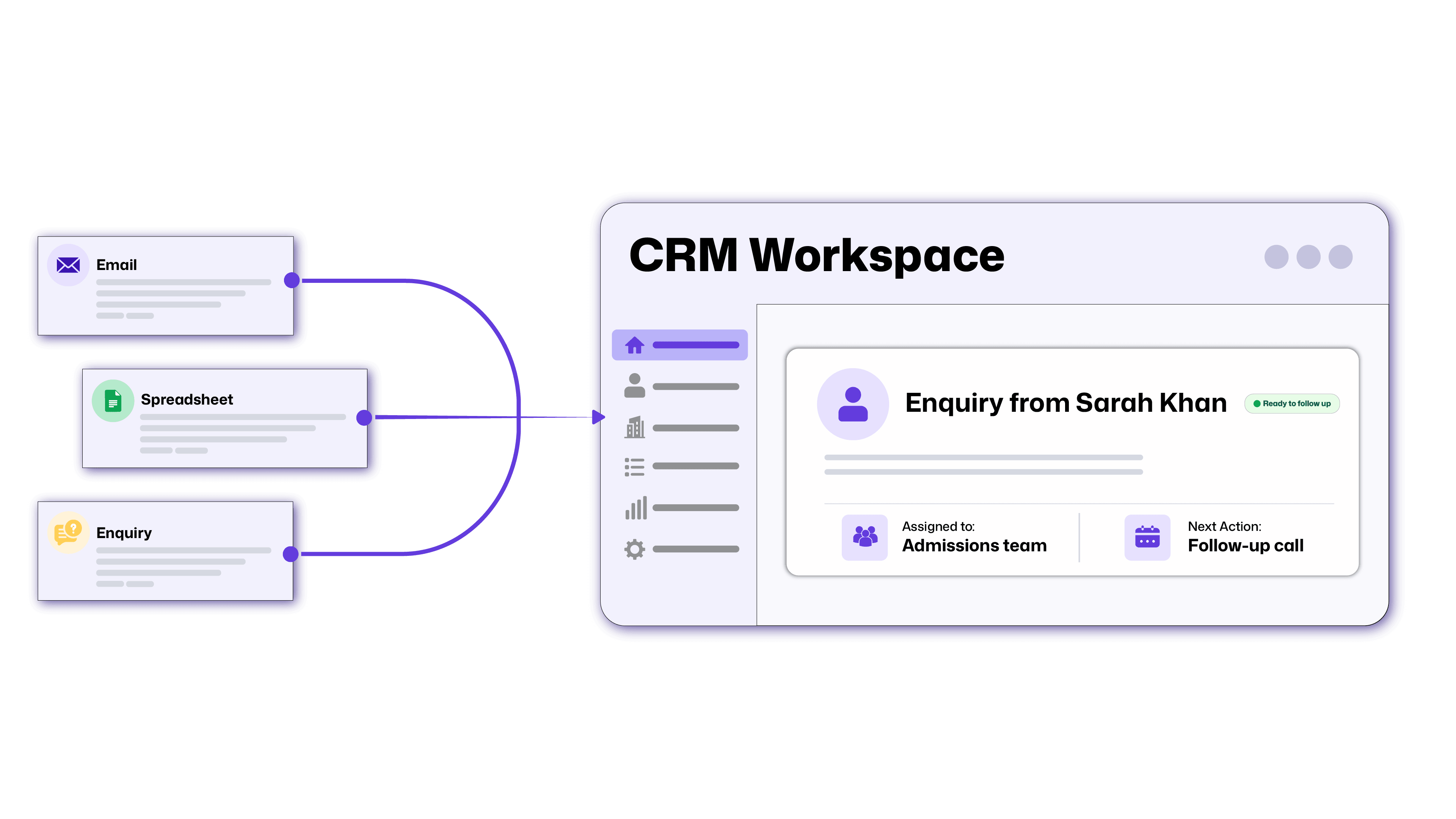
A CRM brings contact details, conversations and next actions together. Implementation covers the decisions that make it usable: workflows, data, access, integrations, testing and team training.
The aim is simple: your team should know who needs attention, what has happened and what to do next.
Why Preparation Matters
Without agreed processes, a CRM can become another place where information is incomplete.
One employee marks an enquiry as qualified after a phone call. Another waits until a proposal is requested. Both update the system, but their reports mean different things.
Preparation gives everyone a shared way of working. It also helps you identify which parts of your current setup can stay and which need changing.
Your CRM Implementation Checklist: From Planning to Launch
1. Define the Problem and the Result You Want
Start with specific problems: missed enquiries, slow responses, duplicate records or time-consuming reporting.
Choose a few measurable goals. For example, track how many new enquiries have an assigned owner and a scheduled next action.
Record your starting position so you can assess progress after launch.
2. Map the Journey and Assign Responsibilities
Write down the stages an enquiry moves through and what each stage means.
For an education provider, that might be:
Enquiry → Counseling scheduled → Application started → Application reviewed → Enrolled
Decide who owns each stage, when follow-ups happen and who takes over during absences.
This connects the broader sales funnel with tasks your team can carry out.
3. Assess Your Platform and Set the Scope
Check whether your existing CRM supports the agreed process before replacing it.
If you need a new platform, compare usability, permissions, integrations, reporting and ongoing costs. Ask users to try realistic tasks during demonstrations.
Build a CRM implementation plan covering priorities, responsibilities, budget and milestones. Separate launch essentials from improvements that can wait.
4. Prepare Your Customer Data
Review spreadsheets and existing systems before moving records.
Remove duplicates, agree on consistent labels and decide which information is necessary. Map each source column to its destination field.
For CRM data migration, keep a secure backup and test a small import first. Check that contacts, notes and related opportunities remain connected.
Assign someone who understands the records to approve the results.
5. Plan Integrations and Access
Identify the tools that must exchange information with your CRM.
For each connection, define what moves, which direction it moves and which system holds the main record when information differs between tools. Include a way to identify failed transfers.
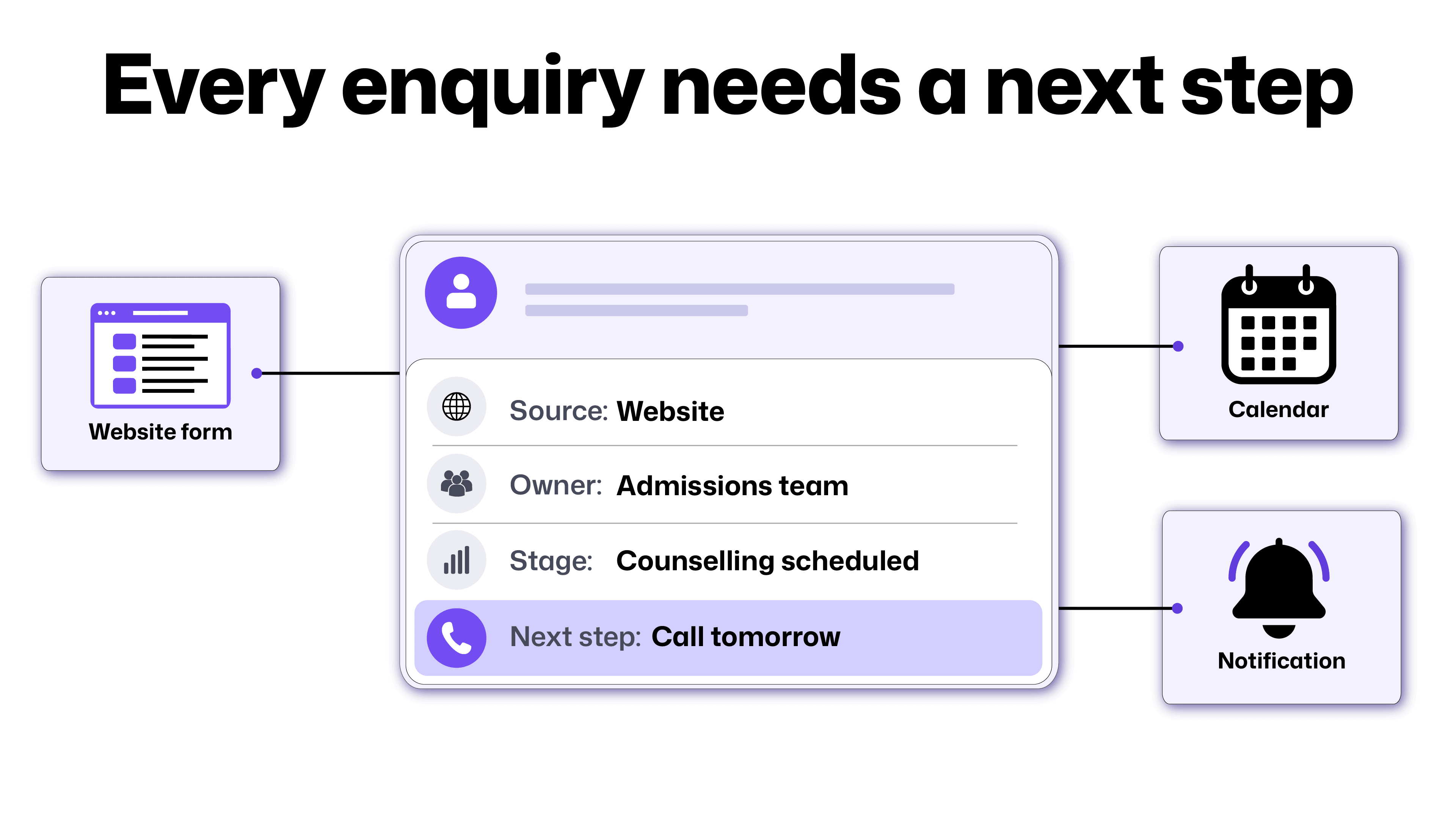
CRM integration might connect website enquiries, email, booking tools and reporting.
Agree who can view, edit, export or delete information. Give each role access appropriate to its responsibilities.
6. Test, Train and Introduce the System
Ask a small group to complete everyday tasks before wider rollout.
Can they find a customer, assign an enquiry, schedule a follow-up and correct a mistake? Do notifications and reports behave as expected?
Train people using those tasks. Plan the launch and how changes made during migration will be handled. Name someone your team can contact when they need help after launch.
Review the CRM implementation process after launch against your original goals.
How Anantya Helps Put the Plan into Practice
Anantya's delivery process follows four stages:
| Stage | What it means for your CRM project |
|---|---|
| Discover | Review your current tools, workflows and gaps before deciding what needs changing. |
| Design | Agree on the system structure, project scope, milestones and measures of success. |
| Build | Configure the agreed pipelines, workflows, integrations and reporting, with regular progress reviews. |
| Scale or hand over | Improve the system against agreed goals or provide documentation for your team to manage it. |
Our CRM work includes pipeline design, tailored fields and views, stage-based automation and dashboards.
We assess whether your existing CRM can support the process. Where additional connections are needed, the integration approach becomes part of the agreed scope.
How CRM Workflows Differ Across Our Sectors
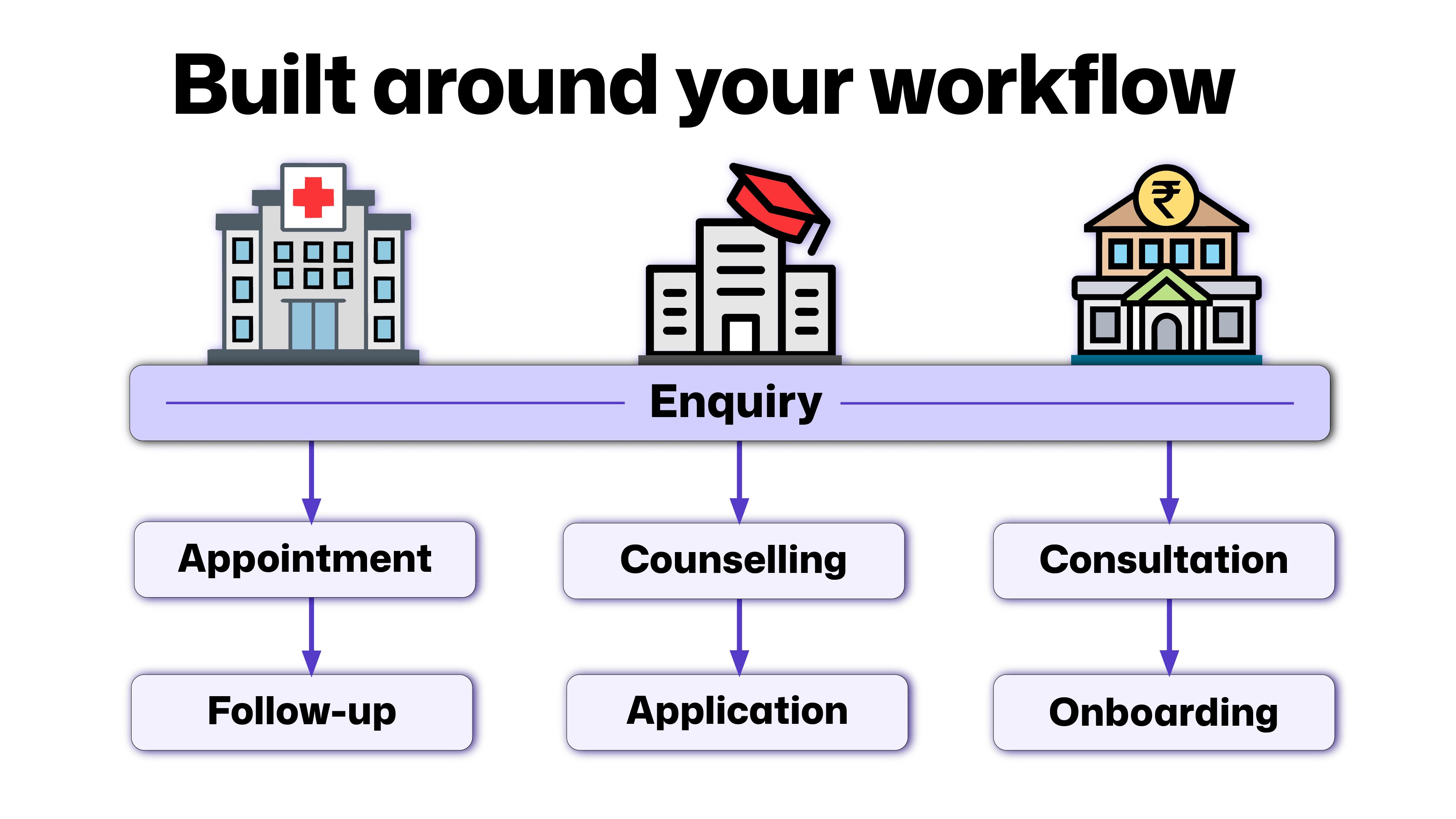
A useful system reflects the conversations your team actually handles. These examples illustrate how the approach can vary across healthcare, education and finance.
Healthcare: From Enquiry to Appointment
A clinic may receive appointment requests through its website and phone team.
An appropriate workflow can assign each enquiry, record contact attempts and show whether an appointment was booked.
Anantya can help connect enquiry handling with booking workflows. Clinical records need appropriate systems and permissions; they should not automatically become general marketing CRM data.
Education: From Interest to Admission
An institution may need to track course preferences, counseling sessions and application progress.
A tailored pipeline can help counselors see which applicants need a response or a reminder.
Anantya can structure stages, ownership and follow-up workflows around the institution's admissions process.
Finance: From Enquiry to Client Onboarding
A financial-services team may need visibility into consultations, onboarding tasks and outstanding actions.
Anantya can help connect those stages with responsible team members and relevant operational systems.
Sensitive documents and approval decisions need defined access and handling requirements. CRM automation should support the agreed process without bypassing required checks.
Common Challenges of CRM Implementation
The challenges of CRM implementation often include unclear ownership, inconsistent data and a system that feels difficult to use.
Address these during planning and testing. Keep essential fields manageable, involve daily users and resolve conflicting definitions before building reports.
If enquiries are already being missed, our guide to why leads go cold can help you identify process gaps.
Start With How Your Team Works
The right CRM setup should make everyday responsibilities clearer and customer conversations easier to continue.
At Anantya, we connect the process, platform and surrounding tools so your team has a practical system to work with.
Discuss your CRM requirements with Anantya TechLabs. We'll start with your current challenges and define the work needed to move forward.
FAQs
How long does CRM implementation take?
The timeline depends on data quality, workflow complexity, integrations and team availability. Agree on milestones after assessing the scope.
What affects CRM implementation cost?
CRM implementation cost includes software, configuration, data preparation, integrations, training and support. Compare proposals covering the same requirements.
Do we need to replace our existing CRM?
Not necessarily. Improving its configuration, workflows or connections may address the problem. Assess its capabilities before choosing a replacement.
What should we prepare before speaking to Anantya?
Bring a list of current tools, your main process problems, the teams involved and the results you want. Share data access only through agreed secure arrangements.


